Category: av

  • A boardroom is not a church or a live band

    A boardroom is not a church or a live band

    Many clients do not know who to call for a boardroom or a conference room. So they call an events company, the person who handles sound at their church, or someone from the market. These people are often good at what they do. But a boardroom is not a church, and it is not a live band.

    The result is easy to spot. A boardroom with a large live mixer on the table instead of a DSP. Six or eight live speakers in a small room, or twenty in a hall. Cables chosen for a concert, not for a building. And very often, a budget that was set by the wrong people.

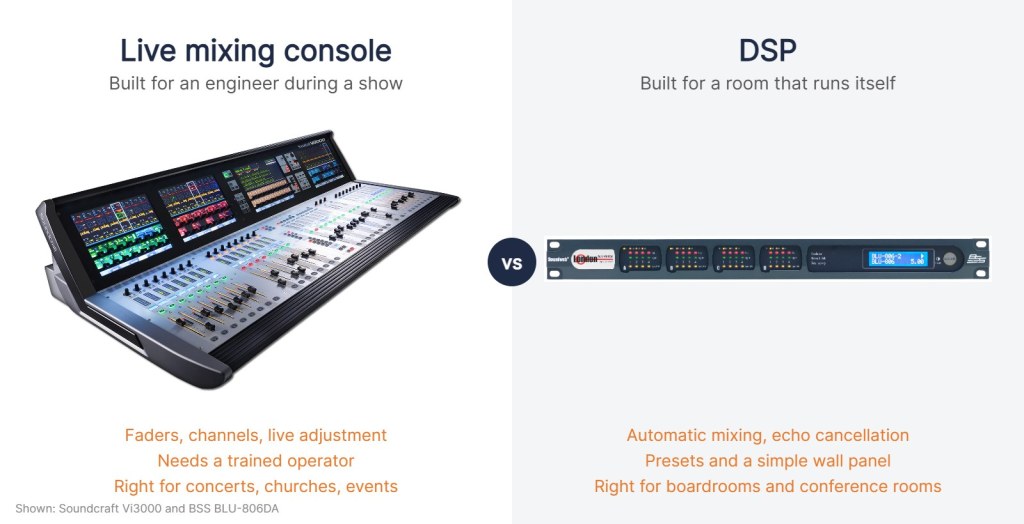
    Live mixing console compared with a DSP
    A live console like the Soundcraft Vi3000 is built for an engineer running a show. A DSP like the BSS BLU-806DA is built for a room that has to work every day without one.

    Mixer or DSP

    A live mixer is built for an engineer who adjusts sound during a show. A boardroom has no engineer. It needs a system that works the same way every day when someone walks in and starts a meeting.

    • Automatic mixing turns microphones up when someone speaks and down when they stop, so the room does not fill with noise.
    • Acoustic echo cancellation stops the people on the far end of a video call from hearing themselves. A live mixer does not do this.
    • Presets and simple control from a wall panel or touch panel, with settings locked so nobody can “fix” them.
    • Integration with the video conferencing system, the camera and the room control.

    That is what a DSP does. It is a different tool for a different job.

    Speakers: watts are not the whole story

    Event and church sound uses low impedance speakers, typically 8 ohm, driven by amplifiers that are rated for 4 or 8 ohm loads. When someone sizes a boardroom or a hall by adding up watts and connects several 8 ohm speakers on one amplifier channel, the impedance drops. Six 8 ohm speakers in parallel come to about 1.3 ohm. The amplifier overheats, goes into protection or fails.

    Diagram comparing 8 ohm speakers in parallel with a 100V line system
    Six 8 ohm speakers in parallel load the amplifier far below its rating. A 100V line system taps each speaker at the power it needs.

    Buildings use a different method: the 100V line system, often called high impedance or constant voltage. Each speaker has a small transformer with power taps, for example 3W, 6W or 10W. You choose the tap for each speaker, add up the taps, and pick an amplifier with headroom. You can run long cables with sensible cable sizes and connect many speakers to one amplifier channel. Most ceiling speaker systems in offices, hotels, schools and hospitals work this way.

    TOA PC-648R 100V ceiling speaker
    A 100V ceiling speaker such as the TOA PC-648R. The small transformer on the back sets how much power each speaker takes from the line.

    For a boardroom, the right answer is usually a set of ceiling speakers spread evenly over the table, at low level, so everyone hears clearly without anyone being blasted. Not two big speakers on stands at the front.

    Video has the same problem

    • Long HDMI cables. Passive HDMI is fine over a few metres. Over longer runs, especially at high resolutions, the signal starts to drop out. For the run from the table to a projector or a rack, use HDBaseT extenders over category cable, which are rated up to 100 metres, or active optical HDMI cables.
    • The wrong network cable. Cheap copper clad aluminium cable sold as Cat6 can fail with HDBaseT and with power over Ethernet devices like cameras and microphones.
    • No plan for the laptop. Where does the guest plug in? Wired at the table, wireless presentation, or both? This should be designed, not improvised on the day.

    The budget mismatch

    Here is the part that hurts most. When the concept, the BOQ and the budget are prepared by the wrong people, the budget is wrong from day one. Then the tender goes out, serious companies price a system that will actually work, and there is a big gap between the budget and the bids. The tender is cancelled, delayed, or the scope is cut until the room ends up with half a system.

    The fix is simple. Involve AV specialists early, at the design stage, the same way you involve electrical and mechanical engineers. Describe the result you need: video calls, presentations, voting, recording, a hall for 300 people. Then let people who design these systems every day turn that into a proper specification and a realistic budget.

    If you are planning a boardroom, conference room or hall and want it designed for how it will really be used, Talk to us at PRO AV Africa or message me on WhatsApp.

    References

    Product images: Soundcraft, BSS, TOA. Diagram: Boaz Shani.
  • Before you lay the boardroom carpet or tiles, plan your AV

    Before you lay the boardroom carpet or tiles, plan your AV

    Here is a call we get often. The boardroom is finished. The tiles or the carpet are down, the walls are painted, the big table has arrived. Now the client wants the screens, the microphones, the video conferencing and the laptop connection at the table.

    And then the question: how do we get the cables to the table?

    By that stage the honest answer is: with difficulty, and at extra cost.

    Why the floor matters most

    In a boardroom almost everything happens at the table. That is where the microphones are, where people connect their laptops, where power and network are needed, and where the conferencing controls sit. All of those cables have to reach the table from the wall, the rack or the display.

    The cleanest route is under the floor, in conduits that come up in a floor box under the table. Once the screed is done and the floor is tiled or carpeted, that route is closed.

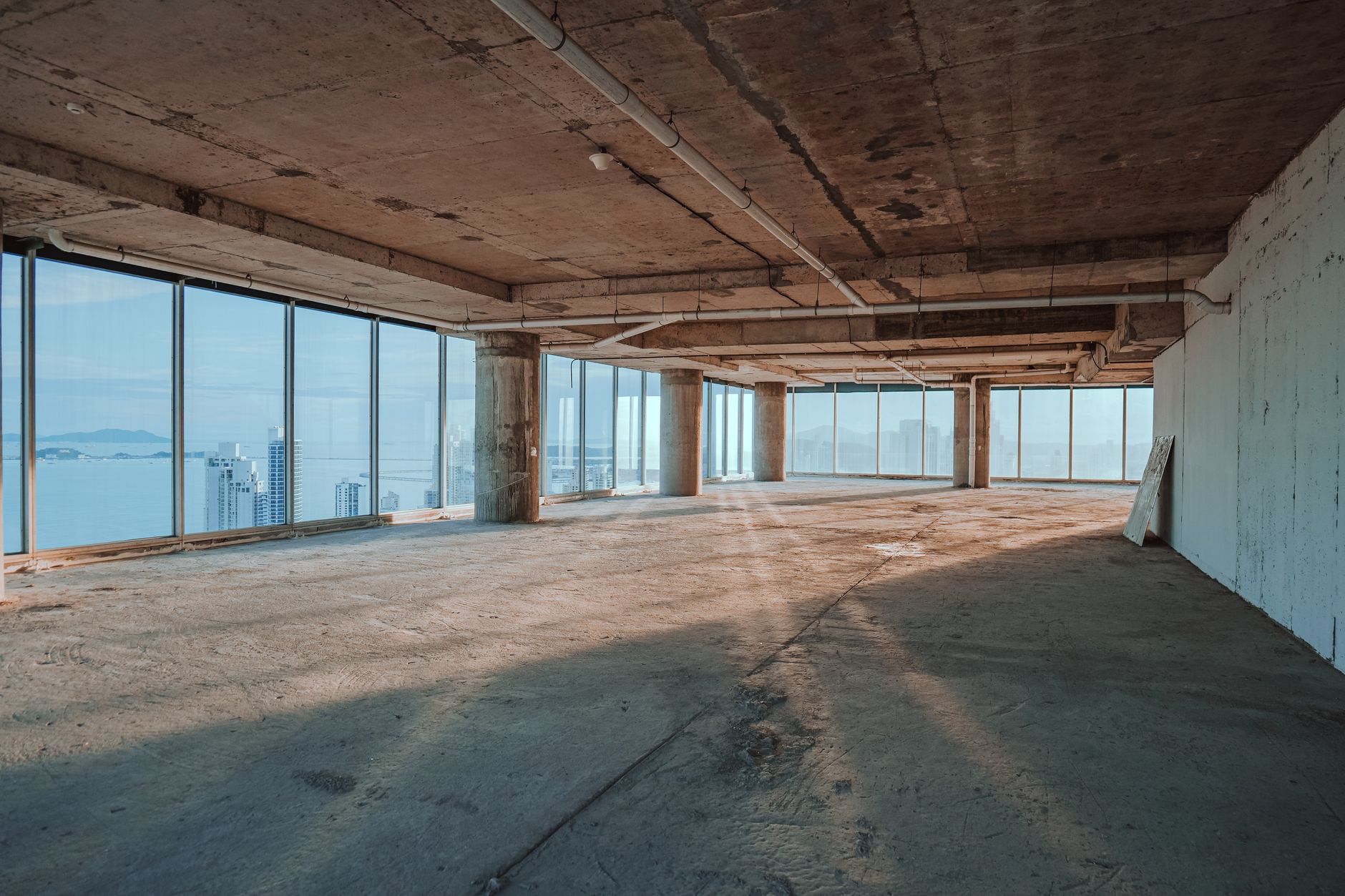
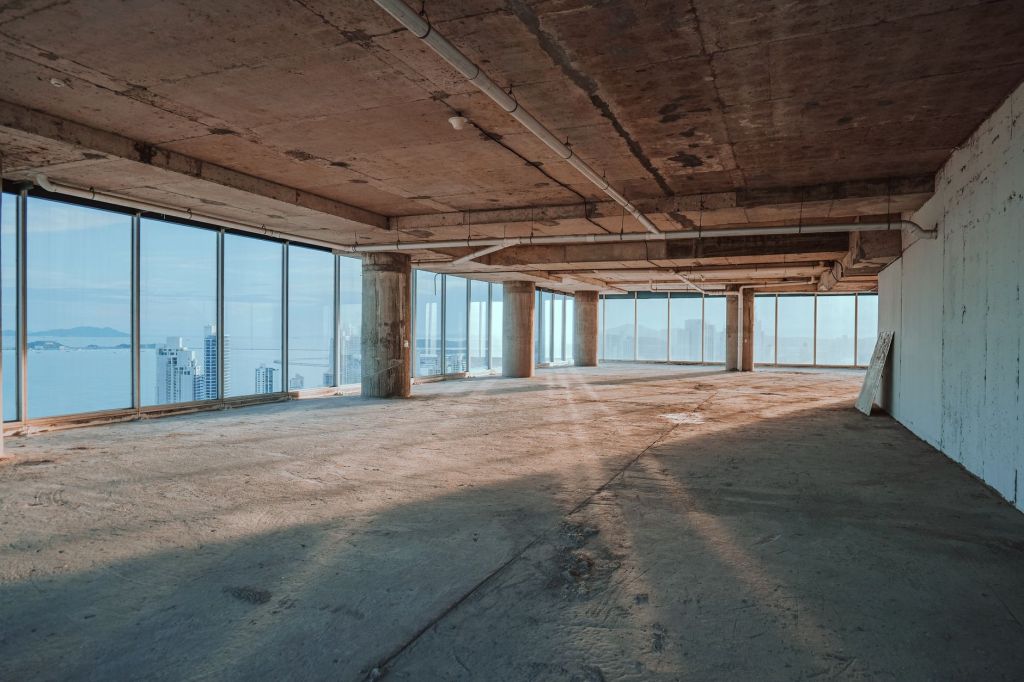
    Empty office floor before carpet or tiles are laid
    This is the moment to plan AV: before the floor is finished, not after.

    What to decide before the floor goes down

    • The furniture layout. The table position and size decide where the floor boxes go. If the layout changes later, the floor boxes end up in the wrong place.
    • Floor boxes. How many, exactly where, and what goes in them: power, network, AV connections for laptops (HDMI or USB-C), microphone and control cables. Choose boxes with lids that suit the finish, carpet or tile.
    • Conduit routes. From each floor box to the wall, the display position and the rack. Size the conduits with spare capacity, leave draw wires in them, avoid tight bends, add pull boxes on long runs, and keep power and signal cables apart.
    • The rack position. In the room, in a cabinet or credenza, or in a nearby AV or IT room. It needs power, network, ventilation and access for maintenance. Distance matters too: a plain HDMI cable is only reliable over short runs, so longer runs are usually done with HDBaseT over Cat6, which is rated up to about 100 metres.
    • The display wall. Strong backing for the mounts, and power and conduit behind the screen at the right height.
    • The ceiling. Positions for speakers, ceiling microphones and cameras, agreed before the ceiling is closed.
    • Power. Proper circuits for the rack and the display wall, not an extension cable from the nearest socket.
    Conduits fixed to a wall ready for cables
    Conduits cost very little while the walls and floor are open.

    What under-carpet cabling can and cannot do

    When the floor is already finished, one option is flat under-carpet cabling. It can rescue a room, and we have discussed it on many projects. But it has limits:

    • Only certain cable types are available in a flat format.
    • It can show through as lines or bumps in the carpet, and it wears where chairs roll over it.
    • Adding or changing cables later is difficult.
    • With carpet tiles it is easier. Under broadloom carpet it is harder. Under porcelain or ceramic tiles it is not really an option at all.

    So it is a fix, not a plan. Conduits and floor boxes put in at the right time are always the better solution.

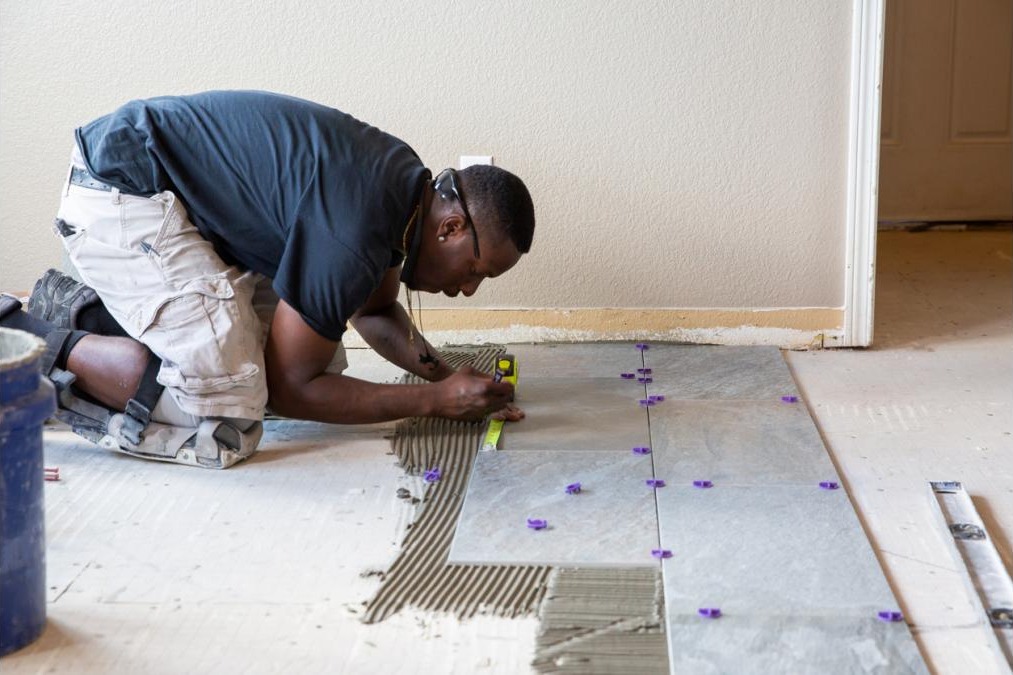
    Tiler laying floor tiles
    Once the tiles are down, every cable route means cutting, drilling or surface trunking.

    Why late decisions become expensive

    • Finished floors have to be cut or core drilled, then repaired, and the same tiles may no longer be available.
    • Surface trunking or cable covers across the floor look bad and become a trip hazard.
    • Equipment goes where a cable can reach, not where it works best.
    • Extra labour, extra materials and delays right at handover, when everyone wants to move in.

    None of this is because AV is expensive. It is because the decisions came after the finishes, instead of before.

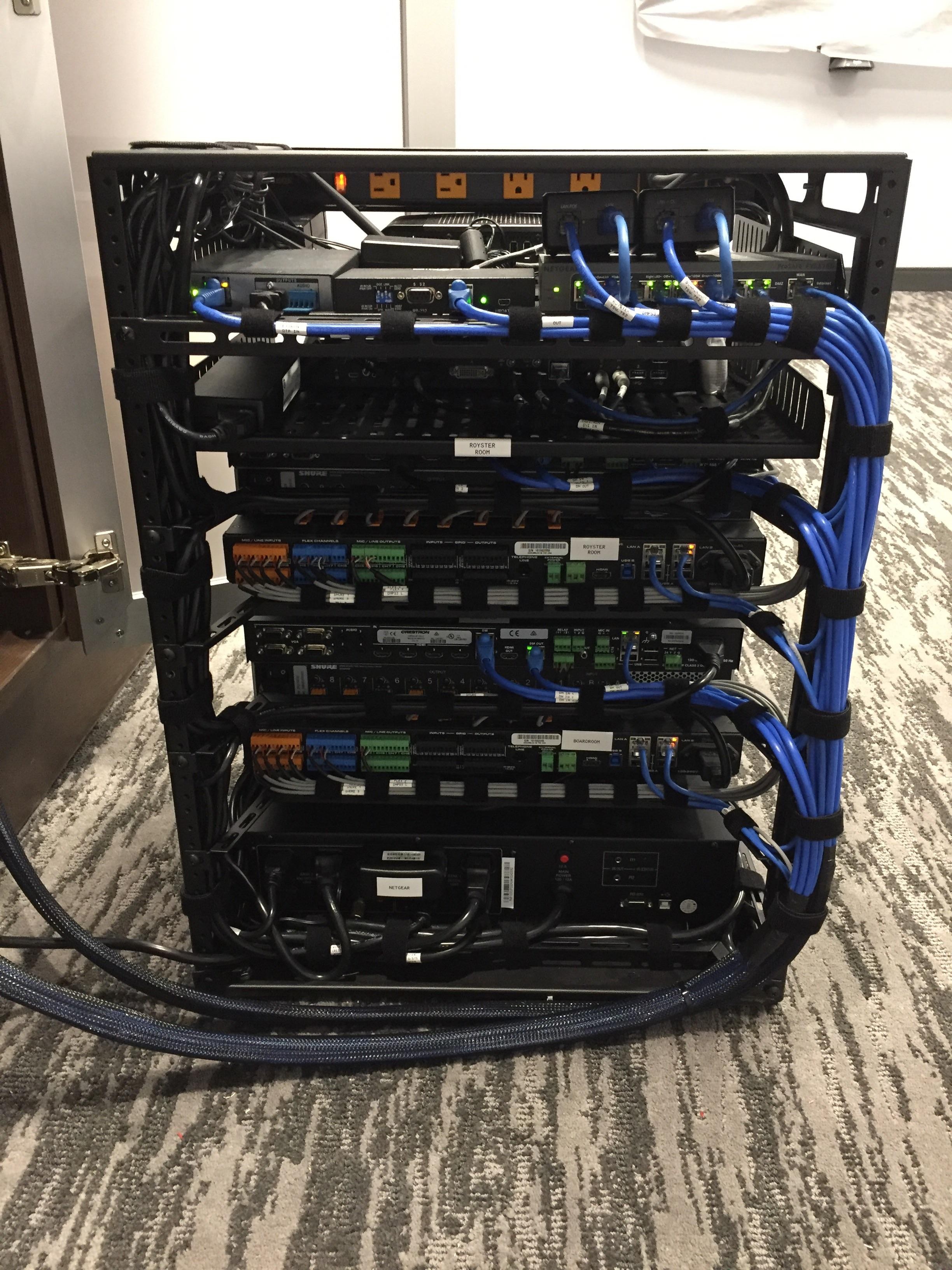
    Neatly cabled AV equipment rack with labelled cables
    A well-planned rack and clean cable routes make the system easier to support for years.

    Plan the budget at the same time

    You do not need to buy the screens and the cameras on the day the floor is laid. But you do need the design, the infrastructure and at least an estimated AV budget at that stage. The equipment can come later, even in phases, as long as the cables have a way to get there.

    I wrote more about this in Why AV is never planned in time.

    A simple checklist before the flooring contractor starts

    • Furniture layout agreed
    • Floor box positions marked on the drawing and on site
    • Conduits laid, with spare capacity and draw wires
    • Rack position, power and ventilation decided
    • Display wall backing, power and conduit in place
    • Ceiling positions for speakers, microphones and cameras agreed
    • AV budget estimated, even if the equipment comes later

    If your boardroom is still at screed level, this is the right time to call. Talk to us at PRO AV Africa or message me on WhatsApp, before the carpet goes down.

    Photos: Pexels.

  • In business (and AV) , relationships last longer than projects

    In business (and AV) , relationships last longer than projects

    Over the years I have trained many people who did not even know what AV was when they started. I introduced them to the industry. I showed them how sound works, how a system is designed, how to commission it and how to talk to a client. Some of them worked for me at PRO AV Africa. Later, some left and opened their own companies.

    At PRO AV Africa, everything we do is built on long-term relationships: with the manufacturers we represent, with the clients who trust our designs, and with the integrators who install them. A project ends. A good relationship carries on to the next one, and the one after that.

    So this article is not a complaint. It is about the relationships that went quiet, and why I think most of them deserve another chance.

    Leaving is normal

    People grow. They want their own name on the door, and that is good for them and good for the industry. The same thing happens in IT, in security and in almost every technical field: someone learns a sector inside a company, then goes out and starts their own.

    Many companies around the world protect themselves with a non-compete clause. If the company trained you and invested in you, you agree not to work in the same sector for a year or two after you leave. Courts usually only enforce these clauses when they are reasonable in time and scope, and I am not writing about contracts anyway. With or without such a clause, people leaving to start their own business is fine with me.

    My question is a different one.

    Trainee connecting cables during a technical training class
    Most of the people working in AV in Uganda today learnt it from someone. Many learnt it from us.

    We are on the same side of the table

    What I find hard is when someone leaves to start their own company and the relationship ends with it. Some of the people we trained stopped working with us completely, and a few started competing with us.

    That should never be necessary, because a distributor and a system integrator are not competitors. PRO AV Africa does not install. Every system we supply is installed by an integrator. We need integrators to win projects, and integrators need a distributor with stock, support and training behind them.

    Some of the companies that left us were given demo equipment at no cost. Some were given showroom setups so they could show clients. They were trained for free. Some of them still went a different way. I have thought about it a lot, and I would rather talk about it openly than stay silent.

    “You are expensive”

    The most common reason I hear is price. Some former partners decided at some point that we are on the high side, and since then they do not even ask us for a quote.

    But prices change. Exchange rates move, brands run promotions, and new products and new brands come in all the time. A price you saw two years ago tells you nothing about today.

    Then there are those who go to Dubai and buy our own brands, the same products we distribute, from someone else. Yes, a box from Dubai can be cheaper than a box from a local distributor. Here is what the price difference pays for:

    • Local stock. Holding stock in Kampala costs money, but it means the project does not wait six weeks for shipping.
    • Warranty. Products bought outside the official channel are often not covered by the local warranty, and some are versions made for another region.
    • Spare parts and standby units. When something fails, we replace it here instead of sending it abroad.
    • Support. Our engineers back up the integrator when there is a problem they cannot solve on site.
    • Training. The same training that built many of these companies in the first place.

    None of this is free to run. When an integrator buys elsewhere, they still expect the support. And when there is a problem with a product we did not supply, the client still calls the brand, and the brand calls us.

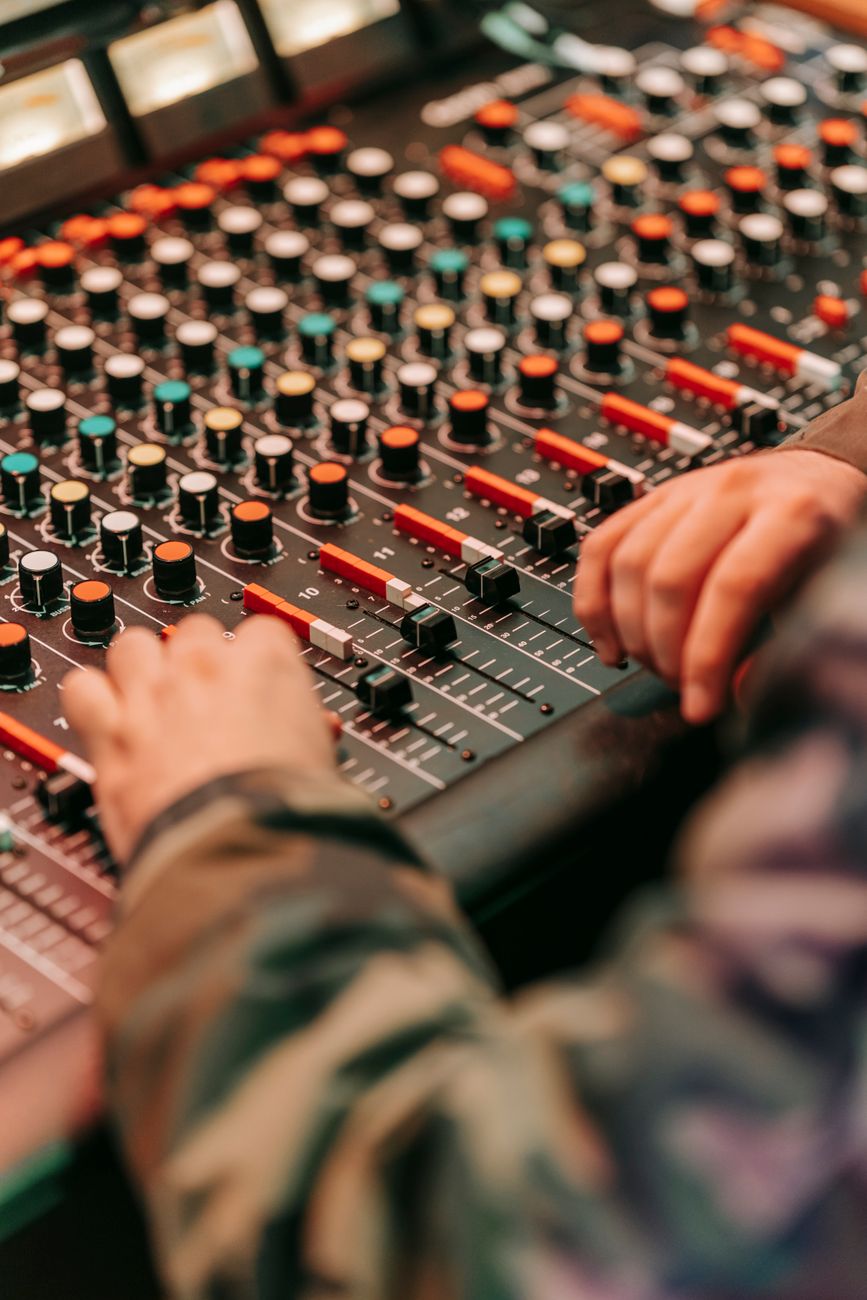
    Hands adjusting faders on a sound mixing console
    The equipment is the easy part. Support, warranty and know-how are what keep a system working.

    There was always another way

    I understand the wish to win projects. Every integrator wants to come in at the right price. But if you think our price is too high for a project, the answer is simple: call us.

    • Tell us the client’s budget, and we will see what we can do to get you into the range.
    • Buy some items from us and source others elsewhere, if that is what makes the project work.
    • Register the project with us, so we protect you and do not give the same pricing to anyone else bidding for it.
    • Bargain with us. We would rather have the conversation than lose the project in silence.

    Losing a sale is part of business. Losing a relationship over a sale we never even knew about is a waste for both sides.

    Business meeting between two partners
    A relationship is not one deal. It is how you behave over many years and many projects.

    What a good relationship looks like

    A relationship has two sides, so here is what I believe each side can expect from the other.

    From us, as the distributor: fair and current pricing, local stock, warranty and spare parts, technical support on site and on the phone, training, demo equipment, and protection on the projects you bring to us.

    From the integrator: ask us first, be open about the budget, talk to us before buying the same brands elsewhere, and keep the door open even when a project goes another way.

    The door is open

    Start your own company and grow as big as you can. I will be proud of that. If you are one of the people who learnt the trade with us and went your own way, take this as an invitation. Call me, come and see what is new in the showroom, or ask us for a price on your next project.

    Our relationships with manufacturers and clients have lasted because both sides kept investing in them. I would like the same with every integrator in this market, including the ones we lost along the way.

    Talk to us at PRO AV Africa or message me on WhatsApp. Relationships in this industry last longer than any one project, and they are worth more.

    Photos: Pexels.

  • Free advice, overseas shopping and the real cost of saving 20%

    Free advice, overseas shopping and the real cost of saving 20%

    Here is a story that repeats itself. A client calls us. We visit the site, meet them a few times, write an assessment report, advise on options, and prepare a design and a bill of quantities. None of this is charged. Then we hear: “Your solution is too expensive.” The client takes our list and sources the items from Dubai or China.

    I understand the wish to save money. But this approach usually ends badly, and I want to explain why.

    Engineer reviewing drawings on a building site
    Site surveys, meetings and design take days of skilled work. In many projects the client never pays for them.

    What you buy abroad is often not what we specified

    A model name is not the whole specification. The same product can come in regional versions with different power supplies, plugs, firmware, licences, accessories and, for wireless products, frequency bands. A small change in a part number can mean a different product. Items that work as a system, like a DSP, its microphones, its control panel and its software licence, need to match exactly.

    When a client buys one item here and another item there, what arrives is often close to the design, but not the same. And close is not good enough for a system that has to work on the first day of the conference.

    Why we no longer hand over full designs for free

    Because of this, we changed how we work. Today our reports are correct in principle, but we do not release the full BOQ, drawings and settings until we are engaged. If a client uses our free advice and then buys elsewhere, they will not have the detail they need to make the system work, and the result will not be what we budgeted and planned. That is not to punish anyone. It is to protect the client from a half-copied design, and to protect the work of our team.

    Comparing the online price with the local price

    Many people compare a price on a foreign website with a quote in Kampala. That is not a fair comparison. The local price includes things the website does not show.

    Chart showing how freight, inspection, duty, VAT and levies add to an online price
    How an online price grows on the way to Kampala. The proportions are an illustration, not a quote.
    • Freight and insurance to Uganda.
    • Pre-export inspection (PVOC) for regulated goods.
    • Import duty, which under the East African Community common external tariff is 25% for most finished goods.
    • VAT at 18%, calculated on the value including duty.
    • Infrastructure levy and withholding tax on imports.
    • Clearing, handling and local transport.

    On top of that, AV and ICT items are sometimes classified under a higher tax code than they should be, and the importer pays more than the formula says. An official distributor imports regularly, knows the correct classification and pays all of this properly. A one-off importer often finds out the real cost only at the border.

    Warranty and support do not travel with the box

    Even when a client imports the exact brand and model we specified, local warranty and support are not automatic. Manufacturer warranties are usually tied to the region where the product was sold and to authorised channels. The local partner has no obligation to support a product that did not come through them, and the supplier abroad will rarely support an item in a country it was never meant to go to.

    Let me give an example. A client has a 50,000 dollar system and tries to save 20%, which is 10,000 dollars, by importing it. A few months later a power surge damages a key unit. With a local warranty, it is our problem and we replace or repair it. With an imported unit, it is the client’s loss: shipping it back, waiting, maybe paying for a new one. Power problems are common here, so this is not a rare case. The 10,000 dollars saved can disappear in a single fault.

    A word to procurement teams

    • Value the advice, surveys, design and support of the local team as part of the price. They are a service, even when they are not on the invoice.
    • Compare like with like: same model, same region, same warranty, delivered and installed in Uganda.
    • Ask who will support the system in year two and year five, and who holds spare parts.
    • If you want a design you can tender freely, pay for the design as a consultancy. Then everyone bids on the same thing.

    Price matters. But the right solution is rarely just the lowest number on a spreadsheet. Support the local team that advised you, even if the cost is a little higher. In the end it costs less.

    If you want an honest assessment and a design that will be supported locally, Talk to us at PRO AV Africa or message me on WhatsApp.

    References

    Chart: Boaz Shani.

  • One microphone for everything? How to choose the right mic, and how to avoid fakes

    One microphone for everything? How to choose the right mic, and how to avoid fakes

    Walk into many churches, halls and event venues across Africa and you will see the same microphone doing every job. It is used for the pastor, the lead singer, the choir, the kick drum and the guitar amplifier. Things have improved a lot in recent years, but choosing a microphone is still too often based on what the shop had, not on what the job needs.

    In truth there is a microphone, often several, designed for each application. Knowing the basics will save you money, feedback and frustration.

    Close-up of a handheld vocal microphone
    A handheld vocal microphone is designed for one job. It is not the right tool for every source on the stage.

    Dynamic or condenser

    • Dynamic microphones are robust, handle very loud sources and need no power. They need the source close to the capsule. Typical uses: vocals on a loud stage, drums, guitar amplifiers, speech in noisy places.
    • Condenser microphones are more sensitive and capture more detail, but they also pick up more of the room. Most need phantom power (48V) from the mixer. Typical uses: lecterns and goosenecks, choirs, acoustic instruments, drum overheads, studio vocals.

    Polar pattern: where the microphone listens

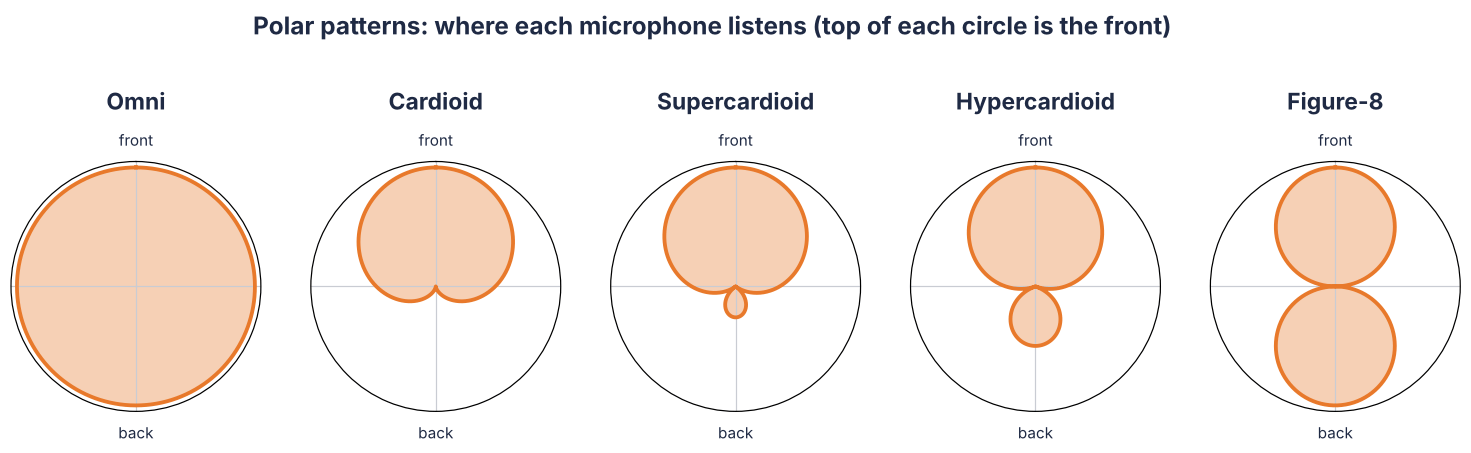
    The polar pattern shows how sensitive a microphone is from each direction. This is one of the most important specifications, and one of the least understood.

    Diagram of omni, cardioid, supercardioid, hypercardioid and figure-8 polar patterns
    Polar patterns. The shape shows how much the microphone picks up from each direction.
    • Omnidirectional: hears all around equally. Good for lavaliers on presenters and some recording, poor on a loud stage because it picks up the speakers too.
    • Cardioid: hears the front, rejects the back. The most common choice for vocals and speech. Place the stage monitor directly behind it.
    • Supercardioid and hypercardioid: narrower at the front, with more side rejection and a small pickup lobe at the back. Better gain before feedback on loud stages, but the monitors must be placed at an angle, not directly behind.
    • Figure-8: hears front and back equally and rejects the sides. Mostly used in studios.

    Other specifications worth reading

    • Sensitivity: how much signal the microphone gives for a given sound level, usually in mV/Pa or dBV/Pa. Condensers are more sensitive than dynamics, so they need less gain from the mixer.
    • Maximum SPL: how loud a sound the microphone can take before it distorts. Important for kick drums, brass and guitar amplifiers.
    • Frequency response: vocal microphones often have a lift in the upper mids for clarity. Kick drum microphones are shaped for low frequencies. Instrument microphones are often flatter.
    • Proximity effect: directional microphones add bass as the source gets closer. Good singers use it. Speakers who swallow the microphone sound boomy.

    A microphone for each job

    Audio-Technica ES925 gooseneck microphone
    A gooseneck condenser such as the Audio-Technica ES925 is made for lecterns, pulpits and boardroom tables.
    ApplicationWhat usually works
    Lectern or pulpitGooseneck condenser, cardioid or supercardioid
    Boardroom tableGooseneck or boundary microphones, or ceiling microphones with a DSP
    Pastor or presenter who movesHeadset microphone for loud rooms, lavalier for TV and quiet rooms
    Lead vocalHandheld cardioid or supercardioid vocal microphone, dynamic or condenser
    ChoirSmall diaphragm condensers placed above and in front of the choir
    Kick drumLarge diaphragm dynamic designed for low frequencies
    Snare and tomsInstrument dynamic microphones or clip-on drum microphones
    Drum overheadsPair of condenser microphones
    Guitar amplifierInstrument dynamic microphone close to the speaker
    Keyboard and bassUsually a DI box, not a microphone

    The fake microphone problem

    Then there is the market. Many people buy a “branded” microphone in town and truly believe it is original. Here is a simple test. A Shure SM58, one of the most copied microphones in the world, sells for around 100 US dollars in the US. If you are offered one in Kampala for 20 dollars, it is not genuine. Not new, and not even used. No official distributor can buy it at that price.

    Counterfeiting is organised and large. In one recent case, Shure and other audio brands worked with investigators in China against a network running more than 80 online stores. Nearly 900,000 dollars of the fake sales were Shure products alone. Shure itself warns that fakes often use genuine photos and specifications, and that an unusually low price is a warning sign. Their advice is simple: buy from an authorised dealer.

    A fake does not just sound worse. It often fails early, handles feedback badly, and has no warranty. You pay twice.

    Is a 1,000 dollar wireless system expensive?

    Many clients tell me a wireless system over 1,000 dollars is too expensive. But that is not a Ugandan price, it is the market. One large US retailer lists dozens of Shure wireless systems between 3,000 and 5,000 dollars, and many above that. Professional digital wireless gives you stable signal, encryption, rechargeable batteries, network monitoring and the ability to run many channels together without interference. For a church, a conference centre or a parliament, that is what you are paying for.

    Local support, and the frequency trap

    Last, and often forgotten: who will support your microphones next year?

    Wireless microphones are sold in frequency bands, and the legal bands differ from country to country. Shure states clearly that a wireless system sold in one region may not be legal in another. In Uganda, the radio spectrum is regulated by the Uganda Communications Commission. A system bought in the US is built for US frequencies.

    To give a real example, the Audio-Technica 3000 Series is sold in different bands, including DE2 (470 to 530 MHz) and EE1 (530 to 590 MHz). A transmitter from one band will not work with a receiver from the other.

    Audio-Technica ATW-3212/C510 wireless handheld system
    Audio-Technica 3000 Series handheld system. The transmitter and the receiver must be from the same frequency band.

    Now imagine your handheld transmitter is lost, stolen, dropped or dies. If you bought the system locally from the official distributor, in most cases you can buy just that one transmitter, in the right band, and carry on. If you imported it from abroad, you may find the same model, but in a different band, and it will not work with your receiver. Then you are buying a whole new system.

    • Choose the microphone for the job, not one microphone for all jobs.
    • Buy from the official distributor or an authorised dealer.
    • If the price is too good, it is not original.
    • For wireless, make sure the band is right for Uganda and that spare transmitters, capsules and batteries are available locally.

    If you need help choosing microphones for a church, hall, boardroom or stage, Talk to us at PRO AV Africa or message me on WhatsApp.

    References

    Photo: Unsplash. Product images: Audio-Technica. Diagram: Boaz Shani.
  • Square screens, 4K projectors and laser TVs: the boardroom display mistakes we keep seeing

    Square screens, 4K projectors and laser TVs: the boardroom display mistakes we keep seeing

    A client calls. They have just bought a new Full HD projector for the boardroom. The picture looks small, there are grey bands at the top and bottom, and the text still looks soft. When we visit, we find the problem in two minutes. The projector is new, but the screen on the wall is an old square tripod screen, or a 4:3 screen from the days of overhead projectors.

    This happens a lot. And it sits next to two other habits I see every week: asking for a 4K projector for a boardroom because the TV at home is 4K, and buying a “laser TV” with its grey home cinema screen for a meeting room. All three come from the same place. People buy the product, not the result.

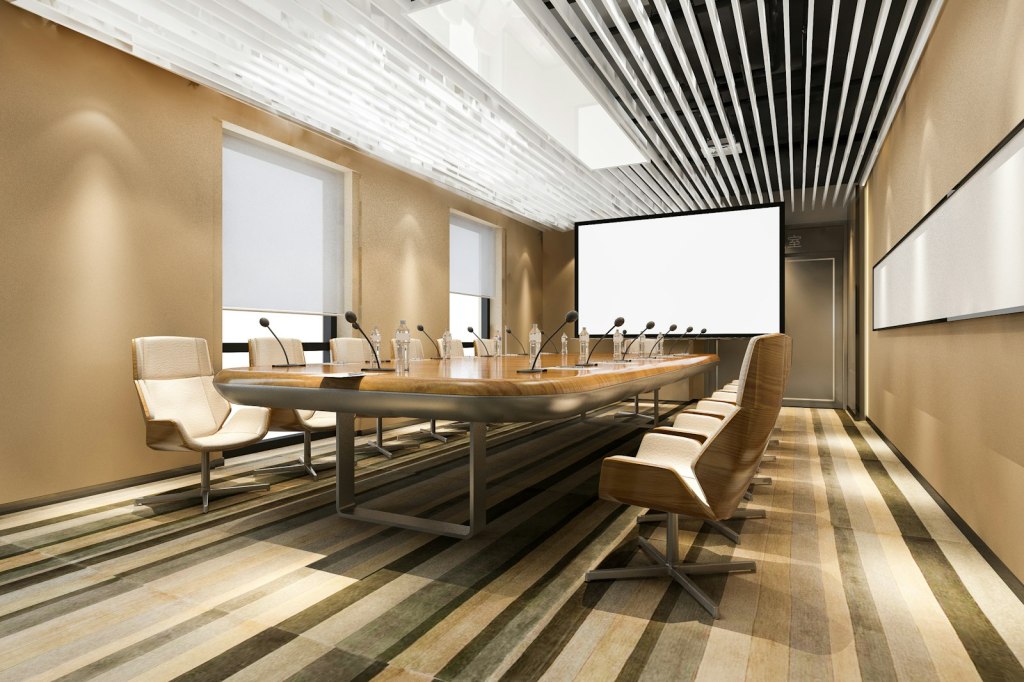
    Conference room with a projection screen at the end of the table
    A boardroom projection screen should match the projector, the content and the farthest seat in the room.

    Aspect ratio in plain words

    Aspect ratio is simply the shape of the picture: width compared to height. A 4:3 picture is almost square. A 16:9 picture is the wide shape of every TV and laptop today. A 1:1 screen is a perfect square.

    • 1:1 square screens come from the era of slide projectors and overhead projectors, when the image could be portrait or landscape. They have no place in a modern meeting room.
    • 4:3 was the shape of old computer monitors and XGA projectors (1024 x 768).
    • 16:10 is the native shape of WUXGA projectors (1920 x 1200), the most common resolution in business and education projectors today.
    • 16:9 is the shape of Full HD (1920 x 1080) and 4K UHD (3840 x 2160), and of most laptop output and video calls. PowerPoint also uses 16:9 as its default slide size.

    Now put a 16:9 picture on a square screen. If the picture fills the width, it uses only 56% of the screen. On a 4:3 screen it uses 75%. The rest is empty grey or white space, and the picture is smaller than the screen you paid for. If you try to fill the height instead, the picture spills off the sides and onto the wall.

    Diagram of a 16:9 picture on 1:1, 4:3, 16:10 and 16:9 screens
    The same 16:9 laptop picture on four screen shapes. Only a 16:10 or 16:9 screen uses the space properly.

    The rule is simple. Match the screen to the projector and the content. A WUXGA projector goes with a 16:10 screen. A Full HD or 4K projector goes with a 16:9 screen. A 16:10 screen also works well with 16:9 content, with only thin bands top and bottom.

    Vivitek DU3661Z WUXGA laser projector
    A WUXGA laser projector such as the Vivitek DU3661Z has a native 16:10 picture, so it belongs with a 16:10 screen.

    Size the screen to the last seat, not the wall

    The second mistake is size. The screen should be chosen from the distance to the farthest viewer and the kind of content, not from how much wall is free. An old rule of thumb in our industry said the farthest viewer should sit no more than about six times the picture height away for general viewing, and closer for detailed content like spreadsheets. Today AVIXA publishes a proper standard and a free calculator for this, called DISCAS. A good integrator will use it before choosing the screen and the projector.

    4K in the boardroom: who is it really for?

    The second habit is resolution. The TV at home is 4K, the phone shoots 4K, so the boardroom must have a 4K projector. It sounds logical, but in most meeting rooms it does not change what people see.

    • Viewing distance. Resolution only helps if your eye can see the extra detail. From three to six metres back, on a typical boardroom screen, most people cannot tell 4K from a good WUXGA picture when they are looking at slides, emails or a video call.
    • The content. Presentations use big text and simple graphics. Most video calls arrive at Full HD or lower. Many laptops are set to output 1080p. A 4K projector cannot add detail that is not in the signal.
    • Not all “4K” is native. Many affordable 4K projectors use a Full HD or similar chip and shift the pixels very fast to create a 4K image on screen. It can look very good, but it is not the same as a native 4K panel, and native 4K models cost far more.
    • The money. The difference in price is better spent on brightness, a laser light source, a proper screen, good microphones and sound, or a better camera for video calls. Those are the things people in the room actually notice.

    4K does have its place: engineering and architectural drawings, medical images, detailed maps in control rooms, large screens viewed from close up, and of course cinema. If that is your content, we will specify it. If your boardroom runs PowerPoint, Excel and Teams, spend the money where it shows.

    The laser TV in the boardroom

    The third habit is newer. Someone sees a “laser TV” in a showroom or online: an ultra short throw laser projector that sits on a cabinet under the wall, sold together with a special grey screen. It looks stunning in a living room, so it gets bought for the boardroom.

    Those screens are called ALR, ambient light rejecting. They are clever: their surface reflects the light coming from the projector below back towards a viewer sitting in front, and rejects light coming from above, like ceiling lights. The product is designed around a family sitting on a sofa watching a movie. That is exactly why it is often the wrong choice for a meeting room.

    • Viewing angle. These screens are at their best for viewers sitting in front. People at the far ends of a long boardroom table see a dimmer picture with shifted colours.
    • Content. Movies are mostly mid tones and dark scenes. Slides are mostly white backgrounds with text. A darker grey home cinema surface is tuned for the first, not the second.
    • Size and position. The screen size is fixed, and the projector must sit at an exact distance below it. You cannot easily move to a bigger screen later, and the projector needs a cabinet where a credenza or a presenter normally stands.
    • Built for homes. Smart TV apps and built-in living room speakers are not what a boardroom needs. Control from a room system, fixed inputs and long daily use matter more, and the warranty terms are often written for home use.

    There are good ultra short throw projectors and good ALR screens made for business and education. The point is to choose them for the room and the content, not because they looked good in a living room.

    Start from the room, not the product

    Before you buy any display, answer these questions:

    • What will be shown most of the time: slides, spreadsheets, video calls, drawings or video?
    • How far is the farthest seat from the screen?
    • How bright is the room, and can the lights and blinds be controlled?
    • What is the native shape of the projector, and does the screen match it?
    • Who will support the system locally when something goes wrong?

    Get those right and a Full HD or WUXGA laser projector on the right screen will beat an expensive 4K projector on the wrong one, every time.

    If you are planning a boardroom, classroom or hall and want the display chosen properly, from screen shape to brightness, Talk to us at PRO AV Africa or message me on WhatsApp.

    References

    Photo: Unsplash. Product image: Vivitek. Diagram: Boaz Shani.

  • Don’t say no to projectors. Say no to cheap ones.

    Don’t say no to projectors. Say no to cheap ones.

    More and more briefs I receive say the same thing: “No projectors.” Schools, churches, boardrooms and halls now ask for an LED wall, a large flat screen, or an LCD video wall instead. When I ask why, the answer is nearly always the same. For years they used a cheap lamp projector, the picture was dim, the lamp kept dying, and they are tired of it.

    I understand the feeling. But throwing out projectors because of a cheap projector is like a company that buys a cheap Wi-Fi router, suffers dropped connections and daily restarts, and then decides Wi-Fi does not work and wires every desk with cable. The problem was never Wi-Fi. It was the router. Put in a proper business access point and the experience is on another level. Projectors are the same.

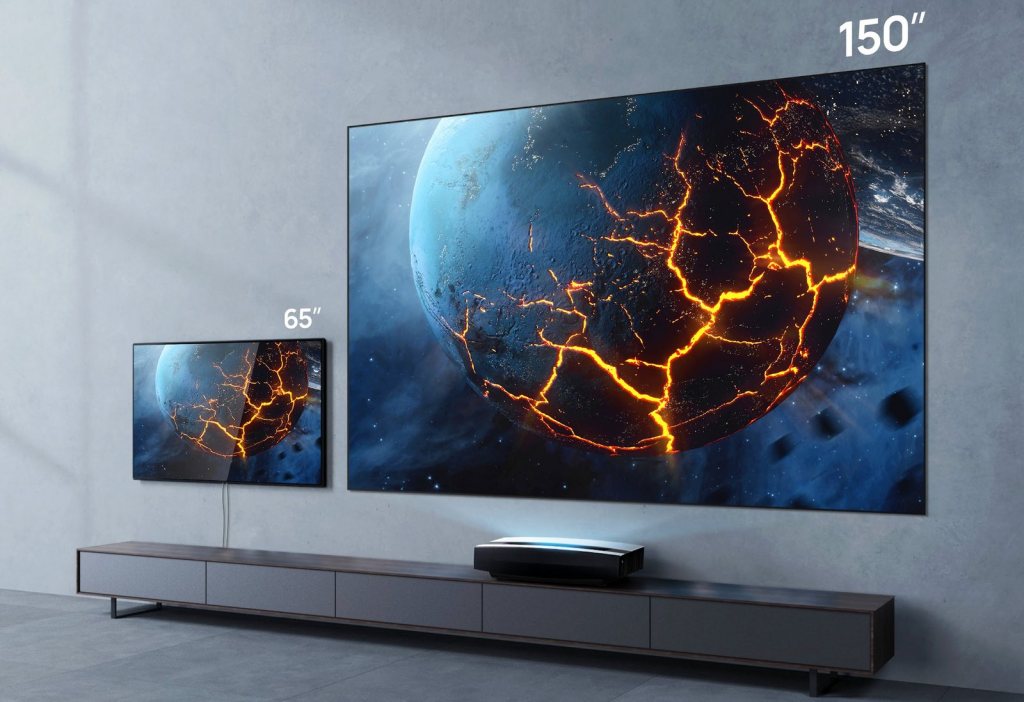
    Ultra short throw laser projector showing a 150-inch picture next to a 65-inch TV
    Same wall, same cabinet. A 65-inch TV next to a 150-inch picture from an ultra short throw laser projector. No flat screen gets near that size for the money.

    What people are comparing

    Before deciding, it helps to know what each option really is.

    • Projector: throws an image onto a screen. Gives the biggest picture for the money. Picture quality depends heavily on brightness, the room light and the screen.
    • LFD (large format display): a professional flat screen, typically 55 to 110 inches, built to run long hours. Bright and sharp, but the size is limited.
    • LCD video wall: several thin-bezel professional screens joined together. Large and bright, but with thin lines between the panels.
    • DvLED (direct view LED): an LED wall built from modules, with no lines and no size limit. Excellent brightness and impact, and by far the highest cost per square metre.
    DvLED video wall in a boardroom
    A DvLED wall in a boardroom: seamless, bright and impressive, and the highest cost per square metre of all the options.

    The DvLED reality check

    DvLED is a great technology and we design with it often. But many clients do not realise what a good LED wall costs, so they shop for a cheap one. That is where the trouble starts.

    • Spare parts disappear. Import an LED wall from just any factory, and in one or two years you may not find that factory, that module or that driver card again. One dead module and there is a hole in your wall.
    • Colours stop matching. LEDs are sorted into batches by colour and brightness. Modules from a different batch can look slightly different next to the original ones. Even the big brands find this hard, so they keep spare modules from the same batch. A cheap supplier usually does not.
    • Real brightness and life. The whole point of LED is a bright, sharp, long-lasting picture. Cheap walls are often dimmer than advertised, fail sooner, and have no local support.
    • The budget. For the price of one good LED wall you can often install a top laser projector, a quality screen and proper sound, and still have money left.
    Close-up of LED wall pixels
    Up close, an LED wall is thousands of tiny LEDs on modules. Replace one module from a different batch and you can see the difference.

    With a recognised brand you will still face some of these issues, but you will have a supplier who stands behind the product. That is the difference.

    A cheap projector is not the same as a good one

    A projector that costs one or two million shillings will never perform like a professional installation projector. The problem is that most people have only ever seen the cheap end, so they think that is what projectors are. Here is what to look at before you buy.

    1. Brightness, the honest number

    Projector brightness should be measured in ANSI or ISO lumens, using the international ISO 21118 method. Many cheap projectors sold online advertise 5,000, 9,000 or even 12,000 “lumens” for $100 to $300. That is not possible. Some list “lux” or “LED lumens” instead, which are not the same thing at all.

    This is not just my opinion. Epson has taken several online sellers to court in the US over exaggerated brightness claims. In 2024 a court awarded Epson more than $500,000 against one Amazon seller, AuKing, and other brands have agreed to correct their specifications after Epson sued. If a deal looks too good, the brightness number is usually the reason.

    2. Resolution

    Old XGA (1024 x 768) projectors are why so many people think projected text looks soft. Today WUXGA (1920 x 1200) is the sensible minimum for classrooms, boardrooms and churches, and 4K is available where detail really matters.

    3. Lamp or laser

    This is the biggest change in projectors in recent years. A lamp projector’s lamp typically lasts about 3,000 to 6,000 hours at full power before it drops to half brightness, and lamps often fail earlier than rated. Over ten years you can expect two to four lamp changes, each one costing money and downtime. A laser projector is typically rated at about 20,000 hours, with little or no maintenance in between.

    Laser also switches on and off almost instantly. There is no warm-up and no cool-down. In Uganda, where the power goes off without warning, that matters. A lamp projector that loses power while hot has no chance to cool its lamp properly, and that shortens lamp life. Laser simply comes back on when the power returns.

    4. Dust: DLP or 3LCD

    Our rooms are dusty, and dust is a projector’s enemy. Projectors use two main imaging technologies. Single-chip DLP projectors usually have a sealed light path, so dust cannot settle on the imaging chip, and many models need no filter at all. 3LCD projectors produce excellent colour, but they draw air through the optics and depend on a clean filter. Neither is wrong, but in a dusty school or church without regular maintenance, a sealed DLP or a laser model with a long-life filter will give you fewer problems.

    5. Hours, warranty and who supports it

    Look at the rated hours, the filter life and the warranty, and ask who services it locally. Several manufacturers make education ranges built for long school days, often with longer warranties. A projector is only as good as the after-sales support behind it.

    Projector range with 5 year warranty for education and large venue models
    Some manufacturers now give five years warranty on their education and large venue ranges. Ask what applies locally before you buy.

    Throw types: where the projector sits

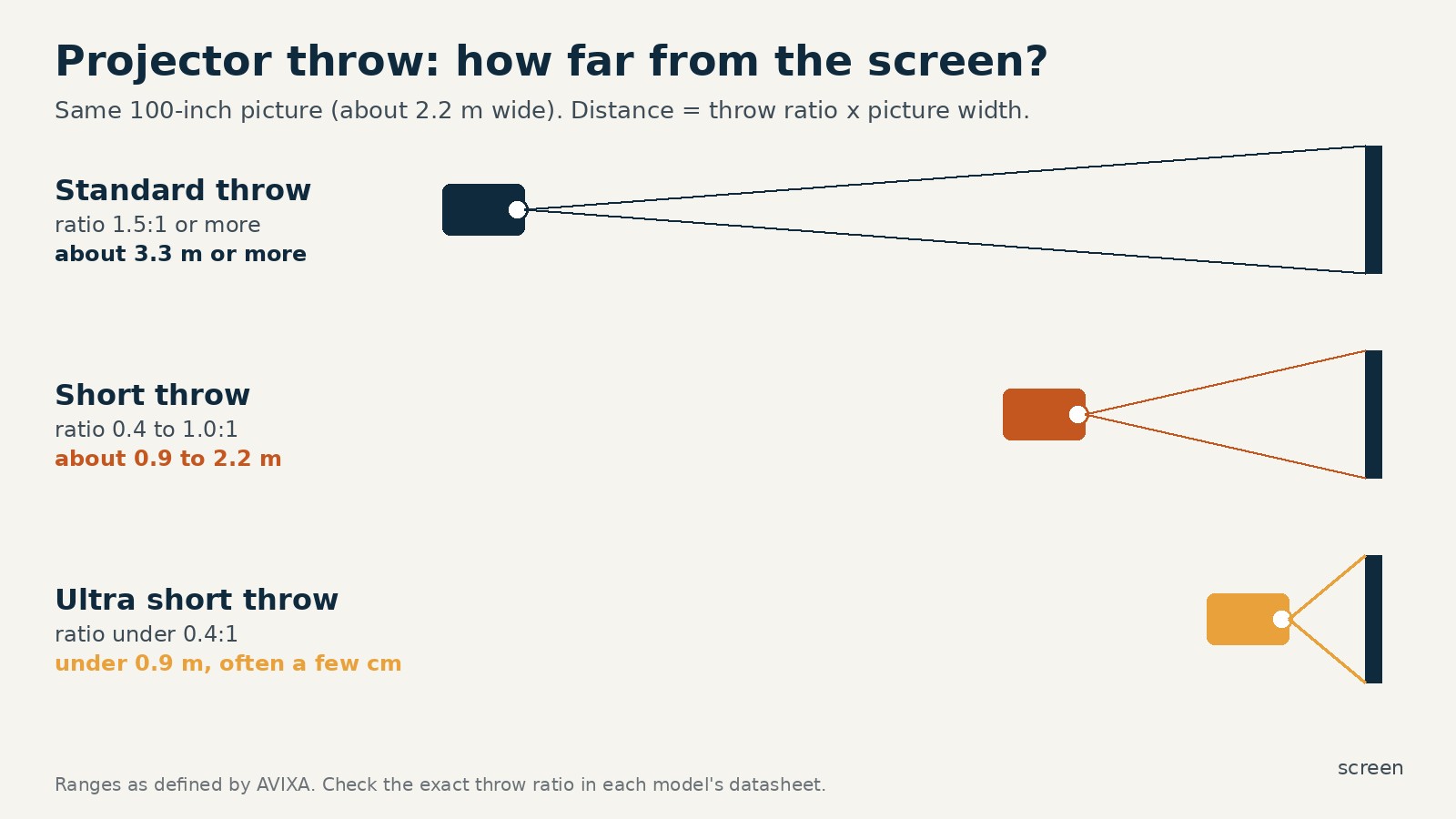
    The throw ratio tells you how far the projector must be from the screen. Multiply the ratio by the picture width and you get the distance.

    Diagram of standard, short and ultra short throw projector distances
    Same picture size, three very different mounting positions.
    • Standard throw (1.5:1 or more): mounted at the back or middle of the room. Best for halls, churches and auditoriums.
    • Short throw (about 0.4 to 1.0:1): a big picture from close up. Fewer shadows on the presenter and less glare in their eyes.
    • Ultra short throw (under 0.4:1): sits just above or below the screen, often only a few centimetres away.
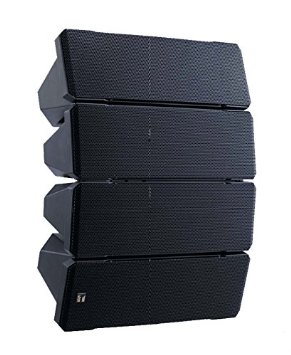
    Auditorium with a large projection screen and line array speakers
    Halls and auditoriums are standard throw territory: the projector sits at the back and fills a large screen above the stage.

    Where ultra short throw makes sense

    • Classrooms: the teacher stands at the board without casting a shadow or looking into the light. Many UST models are interactive, so the whiteboard becomes a touch surface.
    • Small meeting rooms: a large picture with nothing hanging from the ceiling.
    • Homes: a 100-inch-plus picture from a unit on a low cabinet, with an ambient light rejecting screen for daytime viewing.
    • Shop windows and displays: the projector hides close to the surface.
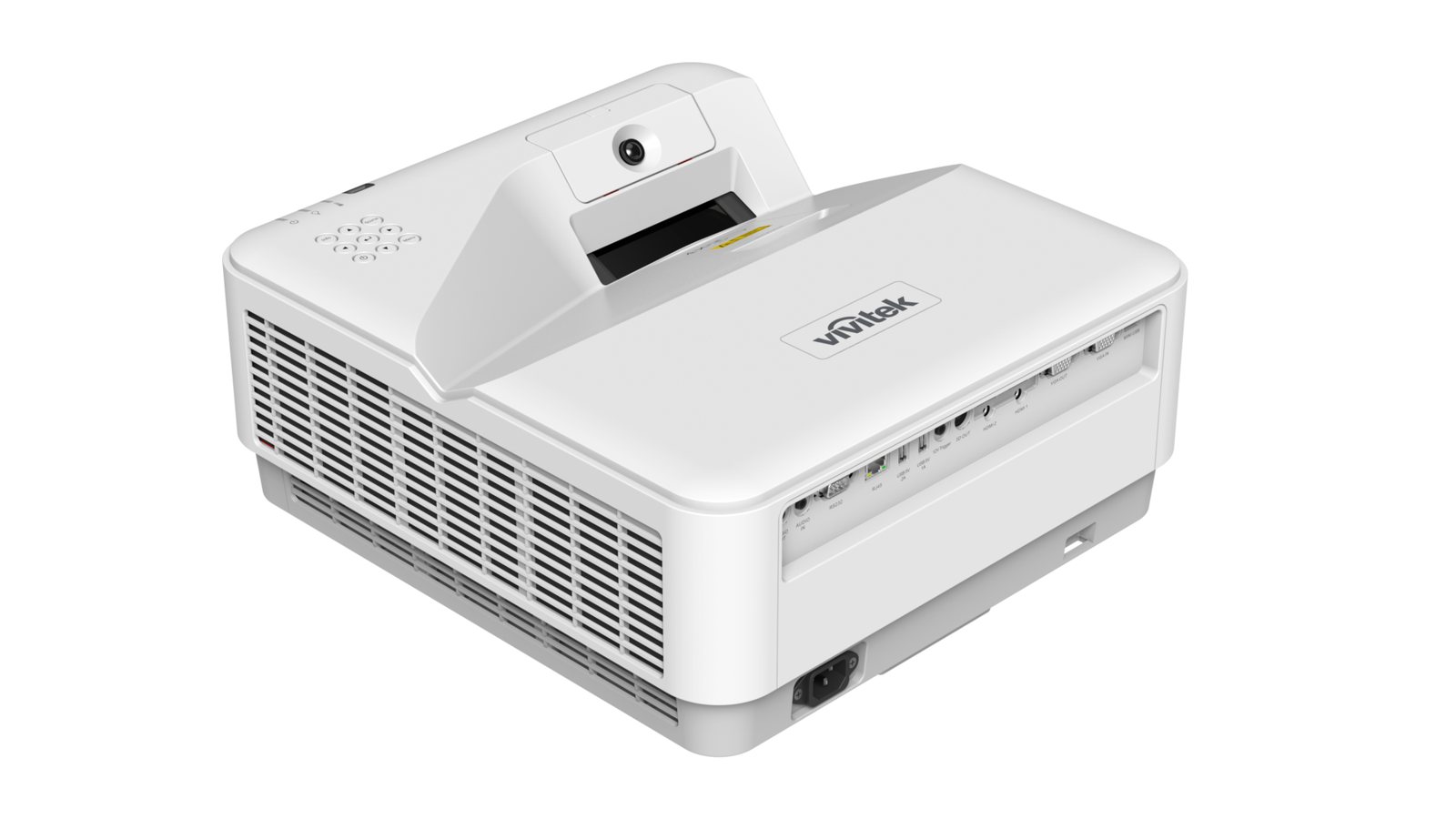
    Interactive ultra short throw laser projector
    An interactive ultra short throw laser projector. The sensor on top turns the whiteboard into a touch surface.

    What no screen can do

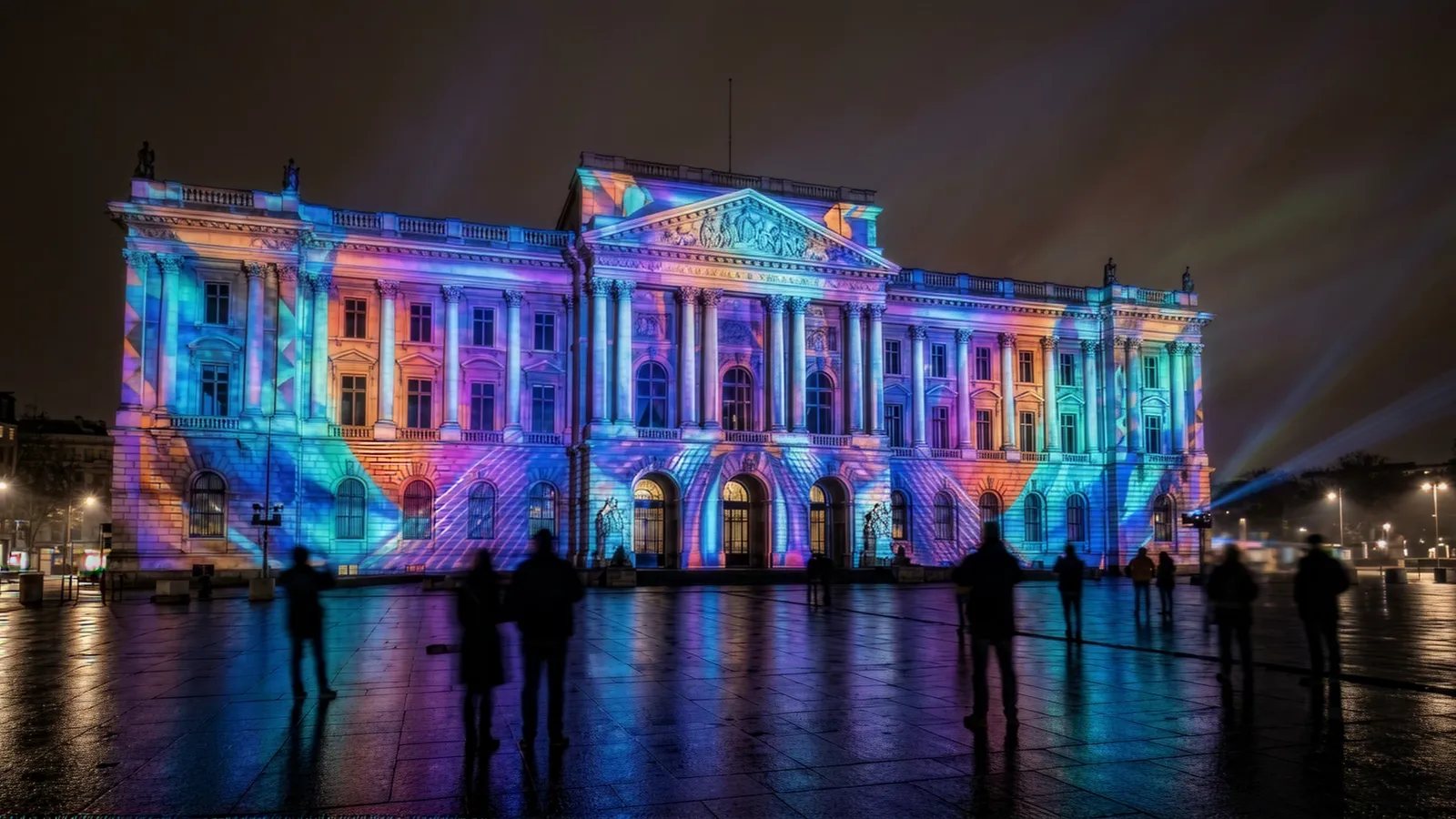
    There is also a whole side of projection that flat screens and LED walls simply cannot do. Projection mapping turns a building, a stage set, a car or an odd-shaped wall into a moving picture. The surface does not need to be flat, and when the show is over the building is just a building again. For product launches, national celebrations, festivals and events, nothing else comes close.

    Projection mapping on the front of a historic building at night
    Projection mapping on a building front. Only projectors can do this.

    So what should you choose?

    Every technology has its place. LFDs suit small and medium rooms. LED walls are right for big impact, bright spaces and when the budget is there. But a good laser projector sits in between, in picture size, in quality and in cost. For most classrooms, meeting rooms, lecture halls and churches, it gives a bigger picture than an LFD and a lower cost than DvLED, with years of maintenance-free use.

    So please, do not write “no projectors” in your next brief. Write “no cheap projectors”. Then let us show you what a proper one can do.

    If you are planning a classroom, hall, church or boardroom and want honest advice on projector, LFD or LED, talk to us at PRO AV Africa or message me on WhatsApp.

    References

    Images: manufacturer and industry sources. Throw diagram: Boaz Shani.

  • Why AV is never planned in time, and what it costs you

    Why AV is never planned in time, and what it costs you

    Almost every week I walk into a building that is nearly finished and hear the same sentence: “Now we need the sound system, but the money is finished.” It might be a church that took ten years to build, a new office block, or a beautiful family home. The cement, bricks, tiles and furniture were all planned and paid for. The technology was not.
    This is not a Uganda problem only. AV consultants and integrators all over the world complain about it. But here the gap is bigger, and the people who pay for it are the owners.

    Church service with stage lighting and screens
    A modern church depends on sound, video and lighting as much as on its walls.

    The story I keep hearing

    A church committee spends three to four billion shillings on construction. When the building is almost done, they call us and say they have UGX 100 to 300 million for AV. They want clear sound for every seat, screens the back rows can read, live streaming for members abroad, and a system that will last for years. In other words, they want the best.

    At today’s exchange rate of roughly UGX 4,200 to 4,500 to the US dollar, UGX 100 million is about $23,000 and UGX 300 million is about $70,000. The building itself cost somewhere around $700,000 to $900,000. So the AV is being squeezed into 3% to 10% of the project, and only because that is what was left over.

    Homes are the same. A house with marble floors and imported light fittings ends up with a soundbar under the TV, because by the time anyone thinks about music, cinema or Wi-Fi in every room, the walls are plastered and the budget is gone. In most homes, even networking is not planned.

    Offices and boardrooms follow the same pattern. A meeting room for $10,000 to $20,000, including the screens, cameras, microphones and control, is called expensive. Yet the same company spent more than that on the furniture and finishes in that room.

    What the rest of the world budgets

    In church projects abroad, technology is planned as part of the building, not as an extra. One long-time church AV consultant writing for rAVe suggests setting aside about 8% of the construction budget for a basic system, 12% to 15% for a solid one, and 20% to 22% for a venue that does serious production. Church AV specialists in the US quote a full system at roughly $1,000 to $1,500 per seat, and give the example of a 200-seat church targeting about $250,000 for AV.

    Put that next to our numbers. A church that spent $800,000 on its building and offers $25,000 for AV is not being careful with money. It is setting itself up for a system that will disappoint everyone who sits in that hall. And when we propose a $400,000 system for a large cathedral, that is still modest by international standards. We do not design with the most expensive brands in the world. We design with brands that are sold and supported here in Uganda, because a system is only as good as its after-sales and local support.

    Building under construction with a crane
    The cheapest time to plan AV is while the structure is still going up.

    Why AV is never planned in time

    After many years of doing this, I think it comes down to a few simple reasons.

    • It is not in the drawings. Architects and quantity surveyors work with the trades they know: structure, plumbing, electrical, sometimes networking. AV has no line in the BOQ, so it has no money.
    • People think AV is equipment, not infrastructure. They imagine buying speakers and a TV at the end, like furniture. In reality AV needs conduits, cable routes, power at the right places, fixing points in the structure, a rack position and good acoustics. Those belong to construction.
    • Nobody owns it. There is an architect, a structural engineer and an electrical consultant, but rarely an AV consultant. The electrical engineer adds a few sockets and the subject is closed.
    • Shop prices set the expectation. Owners compare a professional system with the price of a TV or a party speaker in town, so any real design looks expensive.
    • The contingency is gone. Every building runs over somewhere. By the end, the extra money has been used on the structure and finishes, and technology is the easiest thing to cut.

    What it costs you to do it late

    Leaving AV to the end does not save money. It moves the cost and usually adds to it.

    • Walls and ceilings are opened again to run cables, or ugly surface trunking is fixed on new paint.
    • Speakers and screens go where they can be mounted, not where they work best, because there are no fixing points or power.
    • A hall full of hard surfaces turns out to have echo, and fixing acoustics after the finishes are done costs far more than planning it with the architect.
    • The system is cut down to fit the leftover budget, so the owner ends up with a building that looks finished but does not work for its purpose.

    US church AV designers estimate that infrastructure alone, meaning racks, conduit, cabling, power and installation work, often takes 20% to 25% of the AV budget on a new build. That part is cheap while the walls are open and expensive once they are closed.

    Sound engineer working at an audio mixing console
    The visible equipment is only part of the job. Cabling, power and acoustics come first.

    “Your design is too expensive”

    I hear this often, and I understand it. When the money is already spent, any number looks too big. But the price was never the problem. The problem is that the number arrived late.

    A good boardroom at $10,000 to $20,000 will be used every working day for many years. A church sound system serves every service, every wedding and every funeral for ten years or more. Spread over its life, AV is one of the cheapest parts of the building, and it is the part people actually experience. Nobody leaves a service talking about the bricks. They talk about whether they could hear the sermon.

    Conference room with a large screen and table
    A well planned meeting room is used every working day.

    What to do instead

    Whether you are an architect, a building committee, a developer or a family building a home, these steps will save you money and frustration.

    1. Bring in an AV consultant at the design stage, when the room sizes, seating and use are known. Not when the painters arrive.
    2. Put an AV line in the budget from day one. For churches and halls, use the international guide above as a starting point. For offices and homes, ask for an early estimate before the BOQ is final.
    3. Get AV on the drawings. Conduits, back boxes, cable routes, power, data points and the rack position should appear on the electrical and architectural drawings.
    4. Plan the acoustics with the architect. The shape and finishes of a room decide how good the sound can ever be.
    5. If money is short, build the infrastructure now and add equipment later. Pipes and cables in the walls cost little during construction. Speakers, screens and cameras can follow in phases.
    6. Budget for training and support, so the people who use the system every week can run it with confidence.
    Living room with a large wall mounted TV
    In homes, cinema, music and Wi-Fi in every room start with cables planned before plastering.

    A simple ask

    Treat technology like electricity: plan it, draw it, budget it and build it with the building. You would never finish a church and then ask how to bring in power. Sound, video and control deserve the same respect, because today they are how people experience the space.

    If you are planning a church, an office, a hall or a home and want to get AV right from the start, talk to us at PRO AV Africa or message me on WhatsApp. The earlier we talk, the more we can do with your budget.

    References

    Photos: Unsplash. Exchange rate approximate at the time of writing.

  • Church sound systems in Uganda

    Church sound systems in Uganda

    This subject has been on my mind for a very long time.

    In Uganda, so many churches don’t really have sound systems. They have noise generation systems.

    The reason is simply a lack of exposure and education, for both the church administration and the “sound man” or “sound technician”.

    I put those titles in quotation marks because about 90% of church “sound men” were never trained by a sound professional. Most of them were trained by a mzee (an older person), who was trained by another mzee, who was never trained by anyone.

    The work of a sound man is more than setting up the system and making it work.

    • How many sound people in Uganda know the impedance of their speakers and amplifiers?
    • How many know what a microphone’s polar pattern is?
    • How many can identify a frequency and kill feedback in a second?
    • And how many can stand up to their pastor and church administration and say: no, this is wrong?

    I will publish an article on each of those questions in future. For now, let’s go back to the main topic: sound systems.

    It is sad that in so many churches in Uganda, the sound is not really sound. It is loud noise.

    Many churches use speakers that are too big, made for outdoor concerts. Many others are simply fake. When they are bought, nobody looks at the specifications. What frequency range does the speaker cover? How intelligible is it?

    What is intelligibility? It is how clear the speaker’s sound is. Yes, it can be measured, and it is very important when you buy speakers.

    Think about it: how many times have you simply not understood what came out of the speakers?

    In Uganda everyone likes big. People think the bigger, the better. This is wrong!

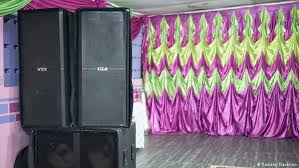
    BIG Speakers
    Speakers from floor to ceiling, in a small church.

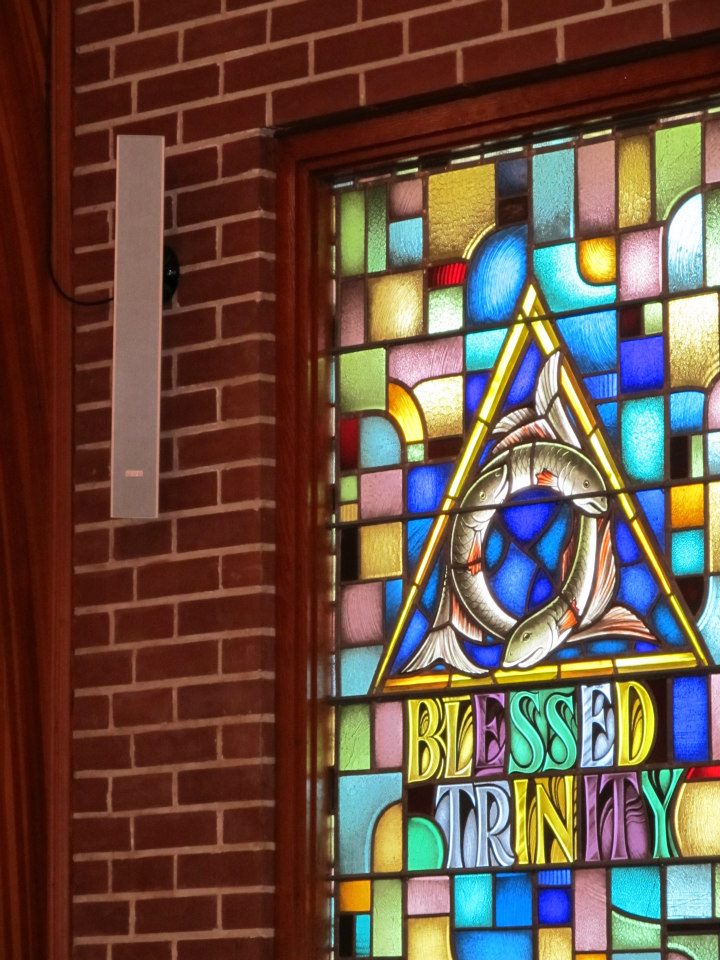
    If you have visited churches around the world, you will notice that you hardly ever see the speakers. Why? Churches are buildings where acoustics are hard to manage, and one of the best ways to manage them is with many small speakers, so the sound does not come from one main set and bounce all over the room.

    As far as I know, people come to church for two things: to listen to the word and to enjoy the gospel music. Not to attend a live concert or a night club.

    If you agree with me, why can’t you clearly hear the words of your priest or pastor?

    Another problem is that many preachers spent years preaching without a sound system, so when they finally get a microphone they keep shouting into it. That does not help either.

    Did you know that most singers, politicians and public speakers are trained to hold and use a microphone and a sound system? I am not sure church sound men know how to train anyone, and if they do, whether they have tried.

    The bottom line is this: in church it should not be about how loud the system can get, but how clear and audible it is.

    I am not saying it should not be loud, or that there should be no subwoofers. But a church does not need subwoofers the size of two big people (my size). A church can have clear sound that everyone enjoys, where every word is understood.

    Some churches have bought good sound systems but struggle to manage and set them up. And remember, a sound system is a system: everything must work together.

    If you have great original speakers and amplifiers but your sound man is not great, the sound won’t be great. If you have great original speakers, amplifiers and a good sound man, but the microphones are wrong for the application, or the cables or connectors are fake, there will always be problems during the service.

    It is sad that in our local market, the shops that sell speakers and sound systems mostly sell fake or locally assembled speakers. More important to me, nobody in those shops can explain how to choose equipment or what to look for. They just want to sell. The result is that churches keep coming back to buy again, because the gear does not last or does not perform.

    Let me ask you this. When you need parts for your car, you look for value, but if a part keeps failing you eventually buy the original. It costs a bit more, but you know it will last.

    So why don’t people see yet that cheap is expensive?

    When a church buys speakers three or four times a year because they keep blowing or don’t perform, why not invest once? It would surely cost less than going back to the market three times.

    Another problem churches face is, sadly, corruption. Yes, even some churches in Uganda. I may come to consult a church, and the next day other “advisors” who know nothing about sound pretend they do, when their main aim is to get something out of the deal.

    I think there are only five or so people in Uganda who really know how to design sound systems for churches.

    We offer free training to churches, so they have the right tools when they look for a sound system and can compare different systems the right way.

    I have seen it many times. People come to me wanting big speakers, or 5,000 watt speakers. After I teach them a few things and give them a demo, they are confused at first, but then they agree that they did not know all this before and that it makes sense.

    I hope that in a few years, churches in Uganda will have the right sound systems, and that people will appreciate and demand better sound, not only in churches but everywhere: schools, weddings, parties, night clubs and more.

  • Speaker watts are not the most important thing in a speaker

    Speaker watts are not the most important thing in a speaker

    In Uganda, and not only here, many people choose speakers by their watts. Some time back a pastor came to my office looking for 25,000 watt speakers. He had 2,000 watt speakers and wanted louder sound, so I assume he expected speakers that were more than ten times louder.

    In the local market, shops sell speakers by watts, yet the key word is the one above: louder. Not watts, and not size.

    So what should you look for when you buy speakers?

    1. How loud it can be.
    2. How good its sound is.

    Here are the answers.

    1. Loudness is measured in decibels (dB), as SPL (sound pressure level). Most manufacturers test and publish a speaker’s sensitivity like this: xx dB at 1 W / 1 m. What does that mean? It means that when the speaker gets 1 watt of power and you measure it 1 metre away, this is how loud it is: xx dB.

    To compare apples with apples, check each speaker’s sensitivity measured the same way, at 1 W / 1 m. Some manufacturers confuse buyers by publishing only the maximum SPL and a few other figures, so I recommend you always look for the 1 W / 1 m figure.

    For example, one speaker can give 96 dB at 1 W / 1 m, while another with the same or even higher wattage gives only 81 dB at 1 W / 1 m.

    Think of energy saving bulbs. A 5 watt bulb can give more light than an old 60 watt bulb. Do you care about the power (watts) or the light? By the way, the brightness of a bulb is measured in lumens, not watts. I will explain that another time.

    You should look for the louder speaker, just as you look for the brighter bulb, not the one that consumes more power. And don’t forget: the higher the consumption, the higher your electricity bill, or the bigger the generator you will need.

    2. How good the sound is. We learn this from the speaker’s frequency response. What is that? In simple terms, it is the treble and the bass, the range of sound the speaker can reproduce.

    Without going too deep into the technical side, you need to know that the wider the frequency range, the better the speaker.

    The full range of human hearing is from 20 Hz at the low end to 20,000 Hz at the high end. You can find speakers that cover the full range or only part of it. The lower it goes at the bottom and the higher it goes at the top, the better.

    For subwoofers you only need the low frequencies, so the lower the sub goes, the deeper its sound. Then again, it depends on your application and preference. For example, the bass you want for jazz and the bass you need for hip hop are not the same.

    These are only the basics of how to select and compare speakers. There are more things to look at, such as impedance, intelligibility and a few more, and I will be writing about those soon.